

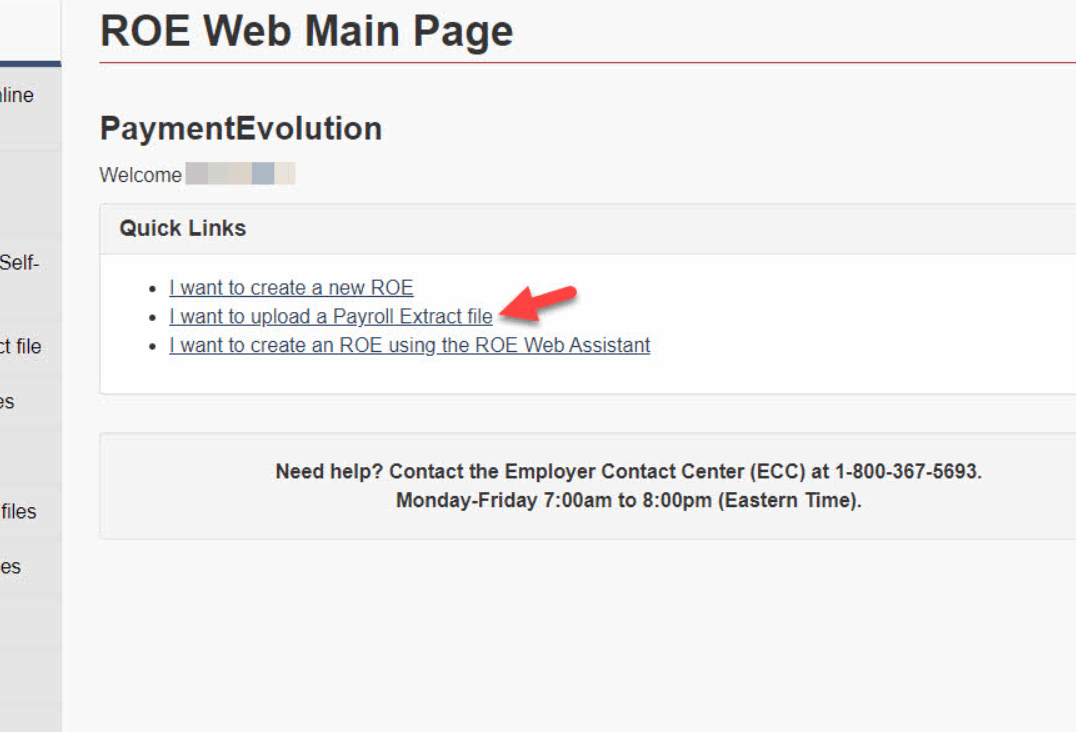
Record of Employment (ROE) Web is an online service provided by Service Canada, which allows employers to create, submit, amend, and print Records of Employment (ROE) forms electronically. This article will guide you through the process of logging in, managing your account, and troubleshooting common login issues on ROE Web.
Understanding ROE Web Login
To log in to ROE Web, follow these steps:
- Visit the Service Canada website and navigate to the ROE Web page.
- Click on the Sign-In Partner Login / Register button or the GCKey Login / Register button. The choice depends on whether you have an account with a Sign-In Partner (usually a financial institution) or prefer to use a Government of Canada Key (GCKey).
- Enter your username and password associated with the selected login method.
Remember, your credentials are case-sensitive, so you need to enter them exactly as they were created.
How to Reset Your ROE Web Login Credentials
If you forget your login details, there are mechanisms in place to recover your credentials:
If you’re using Sign-In Partner:
The process for recovering your username or password will depend on your financial institution’s procedures. Typically, you can find a “Forgot Username” or “Forgot Password” link on your Sign-In Partner’s login page.
If you’re using GCKey:
If you’ve forgotten your password, click the “Forgot your password?” link on the GCKey login page. You’ll be asked to answer recovery questions that you set up when you created your GCKey. If you’ve forgotten your username, you’ll need to create a new GCKey.
Troubleshooting ROE Web Login Issues
If you encounter difficulties during the login process, here are some common problems and potential solutions:
Incorrect Username or Password: Ensure that you’re entering your username and password correctly. If you’re unsure, use the recovery methods mentioned above.
Locked Account: After a certain number of unsuccessful login attempts, your account may be locked. If this happens, you will have to contact ROE Web Technical Support to unlock it.
Technical Issues: Sometimes, there may be technical issues with the ROE Web platform or the Service Canada website. In such cases, try clearing your browser cache or using a different browser. If the issue persists, it might be due to a larger technical issue that needs to be addressed by Service Canada.
FAQ
1. How do I start ROE?
The Record of Employment (ROE) process begins on the Service Canada website.
- Navigate to the ROE Web page on the Service Canada website.
- Choose to log in either with a Sign-In Partner or GCKey.
- Once you’re logged in, select the “ROE Web” option.
- If you’re a first-time user, you’ll need to register for ROE Web. If you’re returning, you can start a new ROE by selecting “Create New ROE,” and then following the prompts.
2. How do I edit ROE?
To amend an ROE that you have already submitted, follow these steps:
- Log in to ROE Web.
- Select “Amend ROE” on the Main Menu.
- Enter the serial number of the ROE you wish to amend.
- Follow the prompts to make the necessary changes.
- Review the changes and submit the amended ROE.
Remember, if the amended ROE has not been processed by the Canada Employment Insurance Commission, it will not be available to amend. You may need to contact Service Canada for further assistance in these cases.
Conclusion
The ROE Web platform is an essential tool for employers in managing employment records effectively. Understanding the login process and how to troubleshoot common issues ensures uninterrupted access to this valuable resource. Always remember to keep your login details secure and update them regularly to maintain the security of your account.

Evan McKenzie is a contributor at Vaughantoday.ca, covering a wide range of topics including local news, politics, business, technology, sports, entertainment, and lifestyle. He focuses on clear, balanced reporting that helps readers stay informed about current events and issues that matter to their communities. His work aims to provide useful information, timely updates, and relevant stories presented in an accessible and reader-friendly way.