


The RBC WestJet Mastercard, a result of the partnership between the Royal Bank of Canada (RBC) and WestJet Airlines, is a popular choice for Canadians who travel frequently. The card offers WestJet rewards, travel insurance, and other benefits that make travelling more convenient and rewarding. As a cardholder, access to these benefits is simplified through the online platform, facilitated by the RBC online banking system. This article will guide you through the RBC WestJet Mastercard login process, exploring its key features and highlighting measures for secure usage.
Accessing the RBC Online Banking Platform
The gateway to your RBC WestJet Mastercard starts at the RBC online banking homepage. The page is straightforward to navigate, and the sign-in section for online banking is clearly visible at the top right corner. Here, users are required to input their RBC client card or credit card number and password to gain access to their account.
For new users who have not yet set up online banking, the process is straightforward. You would need to click on the “Enrol Now” button, which leads to a page where you provide personal information and set up a password for future logins. Remember to choose a strong, unique password to protect your account’s security.
Navigating the Login Process
In general, the RBC WestJet Mastercard login process is simple and user-friendly. We can log in to our RBC WestJet Mastercard account simply by filling username and password.
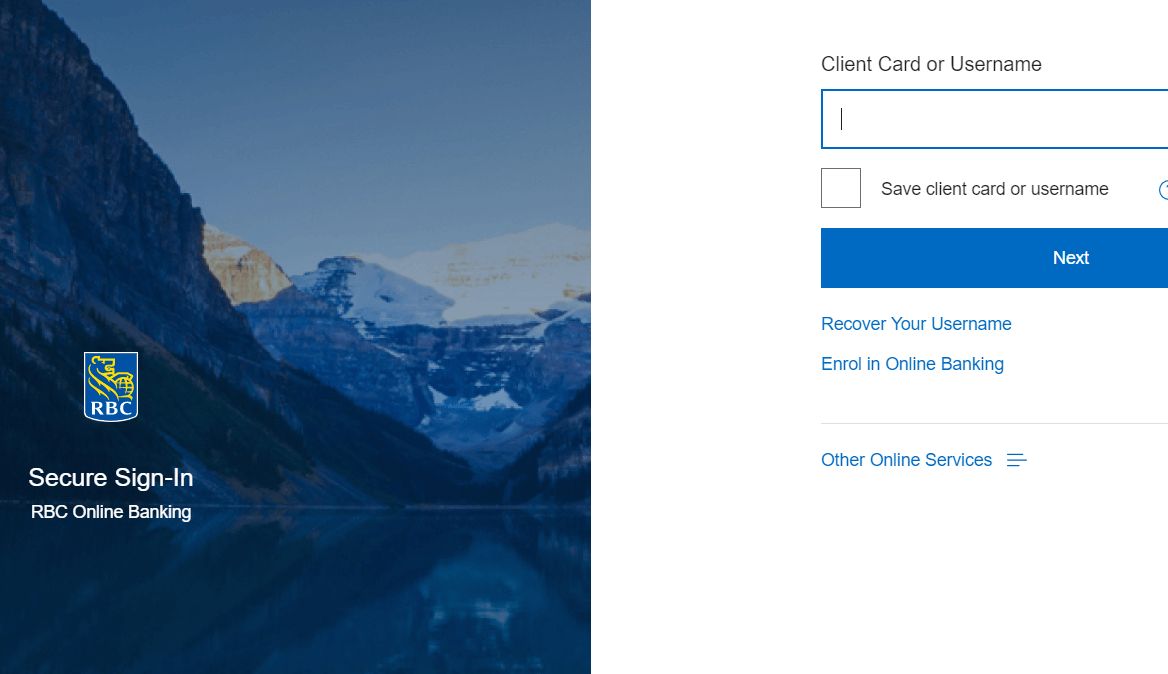
However, should you run into issues such as forgetting your password, you can retrieve it by clicking on the “Reset it” link, found near the password field. You would need to answer some security questions to confirm your identity before resetting your password.
The RBC online banking platform is equipped with security measures, such as automatic timeouts after a period of inactivity, to protect user information. If you encounter difficulties or technical issues during the login process, RBC’s support team is available to provide assistance.
Exploring the Features of the Platform
Once you successfully log in, you’ll find the platform packed with features designed to simplify your banking experience:
1. Account Summary: This provides an overview of your RBC WestJet Mastercard, including your balance, available credit, minimum payment, and due date.
2. Transaction History: This feature allows you to review your credit card transactions, filter them by date, and check the details of each transaction.
3. WestJet Rewards: Here, you can track your WestJet dollar balance, view your reward history, and manage your rewards.
4. Bill Payments and Transfers: You can pay your credit card bill, set up automatic payments, and transfer money between your RBC accounts.
5. Statements and Documents: This section allows you to access and download your monthly statements and other important documents.
6. Account Services: This includes features for managing your credit card, such as blocking and unblocking the card, reporting a lost or stolen card, and requesting a credit limit increase.
Ensuring the Security of Your Account
While the RBC online banking platform has robust security measures in place, users also have a responsibility to protect their accounts:
1. Update Your Password Regularly: Regularly updating your password helps keep your account secure. Avoid using predictable passwords and always opt for a mix of letters, numbers, and symbols.
2. Be Aware of Phishing Attempts: Fraudsters may attempt to trick you into revealing your login details through phishing emails or texts. Always be cautious of any suspicious communication and remember that RBC will never ask you for your password through email or text.
3. Secure Your Devices and Network: Ensure your computer and other devices have updated antivirus software and that your home network is protected with a strong password.
4. Log Out After Each Session: Always remember to log out of your RBC online banking session when you’re finished, particularly if you’re using a public or shared computer.
5. Set Up Two-Factor Authentication: This adds an extra layer of security to your account by requiring a second step to verify your identity, usually a code sent to your mobile device.
Navigating Technical or Account Issues
If you encounter any difficulties while using the platform or have concerns about your account, don’t hesitate to contact RBC’s support services. They are available to assist with a range of issues, from technical glitches to suspected fraudulent activity on your account.
Also, if you have questions or need assistance regarding your WestJet rewards or any travel-related benefits offered by the RBC WestJet Mastercard, customer service representatives are available to help.
FAQ
How do I check my RBC WestJet Mastercard balance?
You can check your RBC WestJet Mastercard balance by logging into your online banking account on the RBC website. After logging in, navigate to the ‘Account Summary’ page where you’ll see your credit card listed along with your current balance.
How do I log into my RBC credit card?
To log into your RBC credit card, visit the RBC website and click on the ‘Sign In’ button at the top right corner. In the fields provided, enter your RBC client card or credit card number, followed by your password. If you haven’t registered for online banking yet, click on ‘Enrol Now’ to set up your account.
How do I link my WestJet account to my RBC Mastercard?
To link your WestJet account to your RBC Mastercard, you will need to log into your WestJet account and navigate to your profile settings. Here, you’ll find the option to link your WestJet rewards to your RBC Mastercard. Enter the required details and save the changes. Note that it may take a few days for the linking to be processed.
How do I pay my WestJet Mastercard RBC?
You can pay your RBC WestJet Mastercard through the RBC online banking platform. After logging in, navigate to the ‘Pay Bills & Transfer Funds’ section. Choose your WestJet Mastercard from the list of payees, enter the payment amount, and confirm the payment. You can also set up automatic payments to avoid missing a payment in the future.
Final Thoughts
The RBC WestJet Mastercard online banking platform provides a user-friendly and secure way to manage your credit card and reap the benefits of your WestJet rewards. By understanding the login process and various platform features, you can make the most of your RBC WestJet Mastercard.
At the same time, it’s crucial to adopt safe online habits to protect your personal information and financial assets. As you use the platform, always prioritize your account’s security and reach out to customer service whenever you have a question or concern. With these measures in place, you’ll be well-equipped to handle your financial needs smoothly and securely.

Evan McKenzie is a contributor at Vaughantoday.ca, covering a wide range of topics including local news, politics, business, technology, sports, entertainment, and lifestyle. He focuses on clear, balanced reporting that helps readers stay informed about current events and issues that matter to their communities. His work aims to provide useful information, timely updates, and relevant stories presented in an accessible and reader-friendly way.