

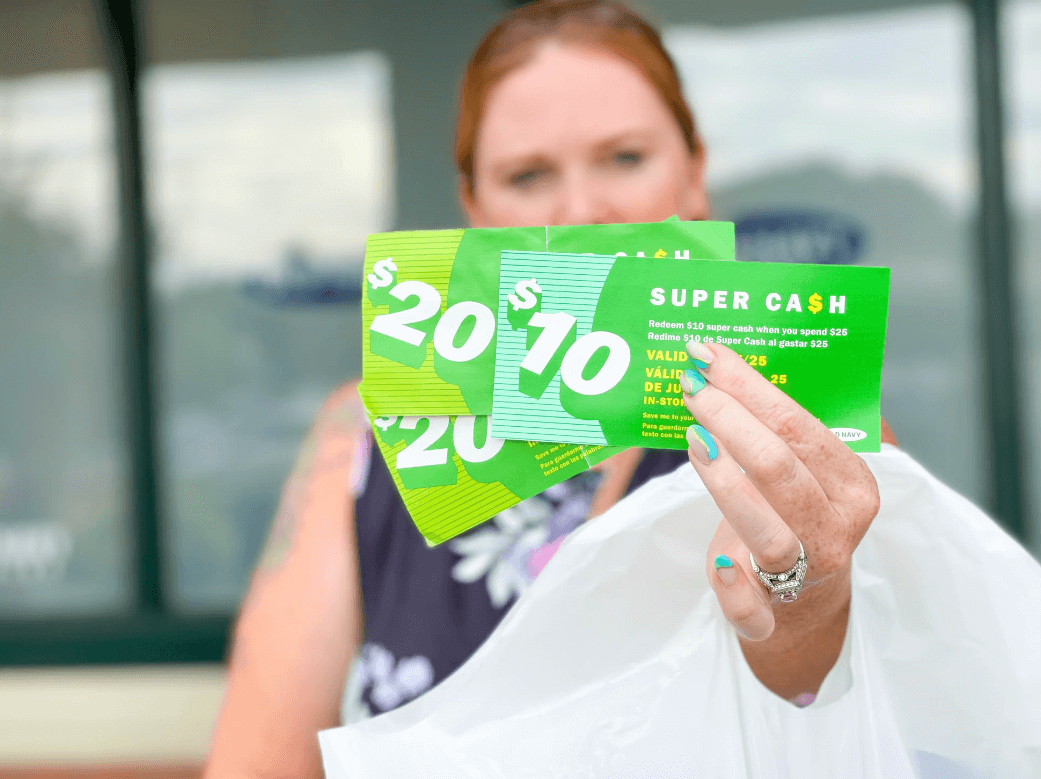
Old Navy Super Cash is a wonderful promotional program offered by the popular clothing and accessories retailer. This scheme enables shoppers to earn and accumulate Super Cash coupons during specific earning periods, which can later be redeemed for discounts on future purchases.
However, many shoppers find themselves a bit puzzled about how exactly to use this Super Cash online. This article is designed to break down this process, step by step, providing a simple, easy-to-understand guide on how to use Old Navy Super Cash online.
Understanding Old Navy Super Cash
Before diving into the how, it’s crucial to understand what Old Navy Super Cash is. During specific earning periods, every purchase you make at Old Navy allows you to earn Super Cash, which is essentially a coupon that provides a certain dollar value off a future purchase. The more you spend, the more Super Cash you accumulate. The earning and redemption periods are pre-set and listed on Old Navy’s official website.
How to use Old Navy Super Cash coupon Online
- Collect Your Super Cash: First, make sure you have your Super Cash available. This can be either a physical coupon if you earned it in-store, or a digital coupon code if you earned it online. The coupon code is usually emailed to you if you earned it from an online purchase.
- Shop During a Redemption Period: Keep track of the redemption periods. Old Navy only allows Super Cash to be redeemed during certain times. Make sure to verify these dates on the Old Navy website.
- Start Shopping: Visit the Old Navy website and choose the items you want to purchase. Make sure the total amount (excluding taxes, shipping, and after all other discounts have been applied) meets or exceeds the minimum purchase requirements indicated on your Super Cash coupon.
- Enter the Code: Once you are done shopping, proceed to the checkout page. Here, you’ll find a field where you can enter promotions or rewards. Enter your Super Cash code into this field.
- Apply and Verify: After you’ve entered the code, apply it to your order. You should see the discount reflected in your order total. If not, double-check the code for any errors.
- Complete Your Purchase: Finally, with your Super Cash applied, you can complete the checkout process by entering your shipping and payment information.
Frequently Asked Questions about Old Navy Coupons
How do I use my promo and reward money at Old Navy?
You can use your promo codes and reward money at Old Navy similar to Super Cash. At checkout, enter your promo code or rewards code in the field labeled Promotions or Rewards. Then, click Apply and ensure the discount is reflected in your total before you finalize your purchase.
Can I use more than one promo code for Old Navy?
Old Navy’s policy typically allows only one promo code to be used per order. However, you can combine a promo code with a single Super Cash coupon in one order. Always check the terms and conditions of the specific promo code or offer for any restrictions.
How do I redeem a gift on Old Navy?
If you have an Old Navy gift card, here is how you can redeem it:
- Choose your items and proceed to checkout.
- On the checkout page, find the field labeled Gift Cards.
- Enter the 16-digit gift card number and the 4-digit PIN. These are typically found on the back of your gift card.
- Click Apply. The gift card amount will be deducted from your total order amount.
- If your purchase exceeds the amount of your gift card, you will need to pay for the remainder with a credit card or another payment method accepted by Old Navy.
Remember that policies can change, so it’s always a good idea to check the latest information on Old Navy’s official website or contact their customer service directly for the most accurate details.
Conclusion
The Old Navy Super Cash program is an excellent way to save money on your favorite Old Navy items. The key is understanding how to effectively use the Super Cash you earn. Once you have mastered the simple process of redeeming your Super Cash online, your shopping experience will be even more rewarding. Remember, keep an eye on those earning and redemption periods to make the most of this unique program!

Evan McKenzie is a contributor at Vaughantoday.ca, covering a wide range of topics including local news, politics, business, technology, sports, entertainment, and lifestyle. He focuses on clear, balanced reporting that helps readers stay informed about current events and issues that matter to their communities. His work aims to provide useful information, timely updates, and relevant stories presented in an accessible and reader-friendly way.