

Microsoft has released a new preview of Windows 11. This build 22622.290 is offered to PCs registered on the BETA channel of the Windows Insider Program.
We have bug fixes and some new features. Note that in parallel, the giant also published build 22621.290. This version comes with the same new features but they are not enabled by default.
Windows 11 Build 22622.290, two new features
The release note announces the arrival of the proposed actions. Microsoft is trying to make its operating system smarter in order to speed up some classic and repetitive tasks. Suggested Actions attempts to suggest actions related to the tasks. For example, when you copy a date, time, or phone number, Windows will suggest actions like creating a calendar event or making a phone call.
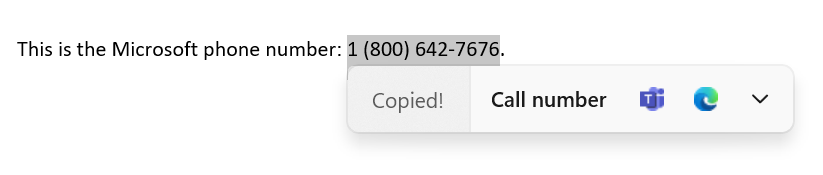
Windows 11 and suggested actions – Call a phone number
More specifically when copying a phone number, Windows displays an interface that shows different ways to call the number in question.

Windows 11 Suggested Actions – Create a Calendar Event
When a date and/or time is copied, the user interface displays an event creation through the calendar.
Other big new features are the OneDrive Storage Alert integration and subscription management in Settings. Last March, improvements to the Microsoft 365 subscription management experience were released.
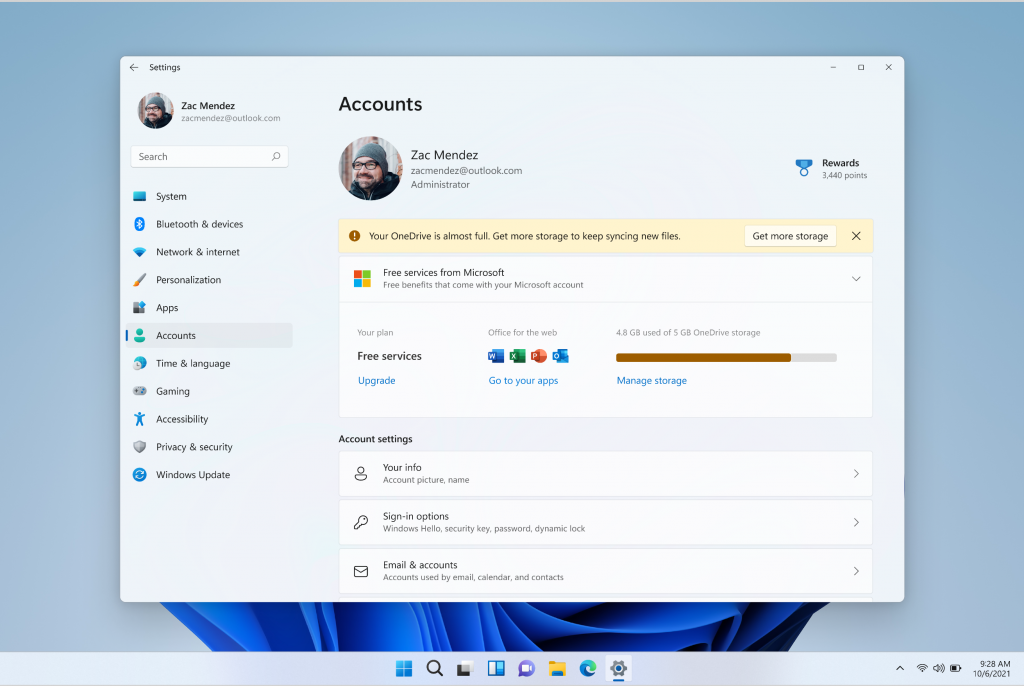
The ability to display the payment method on your Microsoft 365 subscription has also been added. Standalone 100GB OneDrive subscriptions are now activated on the Accounts page, in the same way as Microsoft 365 subscriptions. If you are close to your OneDrive storage limit, the information will be visible on this page.
On the fixes side, it is about File Explorer build 22622.290 and several bugs for both versions. You will find all the details at the end of the article. Alert Microsoft announces known and unresolved issues at this time. They affect the operating system as a whole and the file explorer in particular.
Windows 11 Version 22622.290 and 22621.290 – Release Note
Fixes in version 22622.290
[File Explorer]
- Middle clicking on a folder in the file explorer body will open it in a new tab.
- The tab row should now be included in the keyboard focus cycle when you press Tab or F6. Once the focus is in the tab row, you can use the left or right arrow keys to cycle through it.
- Sorry – this issue has not been resolved yet.
- Made some tweaks when “Show full path in address bar” is enabled, to make sure the folder name is always visible.
- Fixed a scaling issue that could cause tabs to be unexpectedly large.
- Right-clicking on a tab and then clicking elsewhere in File Explorer should dismiss the context menu more reliably now.
Fixes included for both Build 22621.290 and Build 22622.290
This update includes the following improvements:
- new! We added the Common File System Controller (FSCTL) Server Message Block (SMB) Redirector (FSCTL) code FSCTL_LMR_QUERY_INFO.
- new! We added support for Transport Layer Security (TLS) 1.3 in Windows Lightweight Directory Access Protocol (LDAP) client and server applications.
- We have updated the file remove item cmdlet to properly interact with Microsoft OneDrive folders
- We enabled InternetExplorerModeEnableSavePageAs group policy. For more information, see the Microsoft Edge browser policy documentation.
- We’ve fixed an issue where the “Take Photo” button would disappear when using a common file dialog to open the camera.
- We fixed an issue that prevents devices from receiving an offer from Windows Update for the same extension driver when the extension driver is already installed without the primary driver.
- We’ve fixed an issue that causes installation from media (IFM) for Active Directory to fail with error “2101 JET_errCallbackFailed”.
- We fixed an issue that occurs when the Active Lightweight Directory Service (LDS) resets the password for userProxy objects. The password reset fails with an error like, “00000005: SvcErr: DSID-03380C23, problem 5003 (WILL_NOT_PERFORM), data 0”.
- We enabled InternetExplorerModeEnableSavePageAs group policy. For more information, see the Microsoft Edge browser policy documentation.
- We fixed an issue that occurs when Active Directory Lightweight Directory Service (AD LDS) resets the password for userProxy objects. When you try to reset someone else’s password and you are authenticated using a simple hook, the password reset fails. The error is like “00000005: SvcErr: DSID-03380C23, problem 5003 (WILL_NOT_PERFORM), data 0”.
- We’ve fixed an issue preventing Microsoft Edge from being available in Windows Sandbox.
known problems
[General]
- We’re fixing an issue that resulted in a small number of Beta Channel Insiders experiencing periodic crashes in Windows user interface components (such as explorer.exe), making the screen appear to flicker. If you are affected, running the following command from an elevated PowerShell window should resolve it: Add-AppxPackage -Register -Path C:\Windows\SystemApps\Microsoft.UI.Xaml.CBS_8wekyb3d8bbwe\AppxManifest.xml -DisableDevelopmentMode -ForceApplicationShutdown
[File Explorer]
- Up arrow is incorrectly aligned in File Explorer tabs. This will be fixed in a future update.

Evan McKenzie is a contributor at Vaughantoday.ca, covering a wide range of topics including local news, politics, business, technology, sports, entertainment, and lifestyle. He focuses on clear, balanced reporting that helps readers stay informed about current events and issues that matter to their communities. His work aims to provide useful information, timely updates, and relevant stories presented in an accessible and reader-friendly way.