

Employment Insurance (EI) is a crucial program in Canada that provides temporary financial assistance to eligible individuals who have lost their jobs or are unable to work due to specific reasons, such as sickness or caregiving responsibilities. To ensure that recipients continue to receive their benefits, they must submit regular reports to the government. The EI online reporting system makes it easy for claimants to submit their reports electronically. In this article, we will discuss the EI online reporting login process, how to set up an account, and the importance of timely reporting.
Setting Up Your EI Online Account
Before you can access the EI online reporting system, you need to create a personal account. To do so, follow these steps:
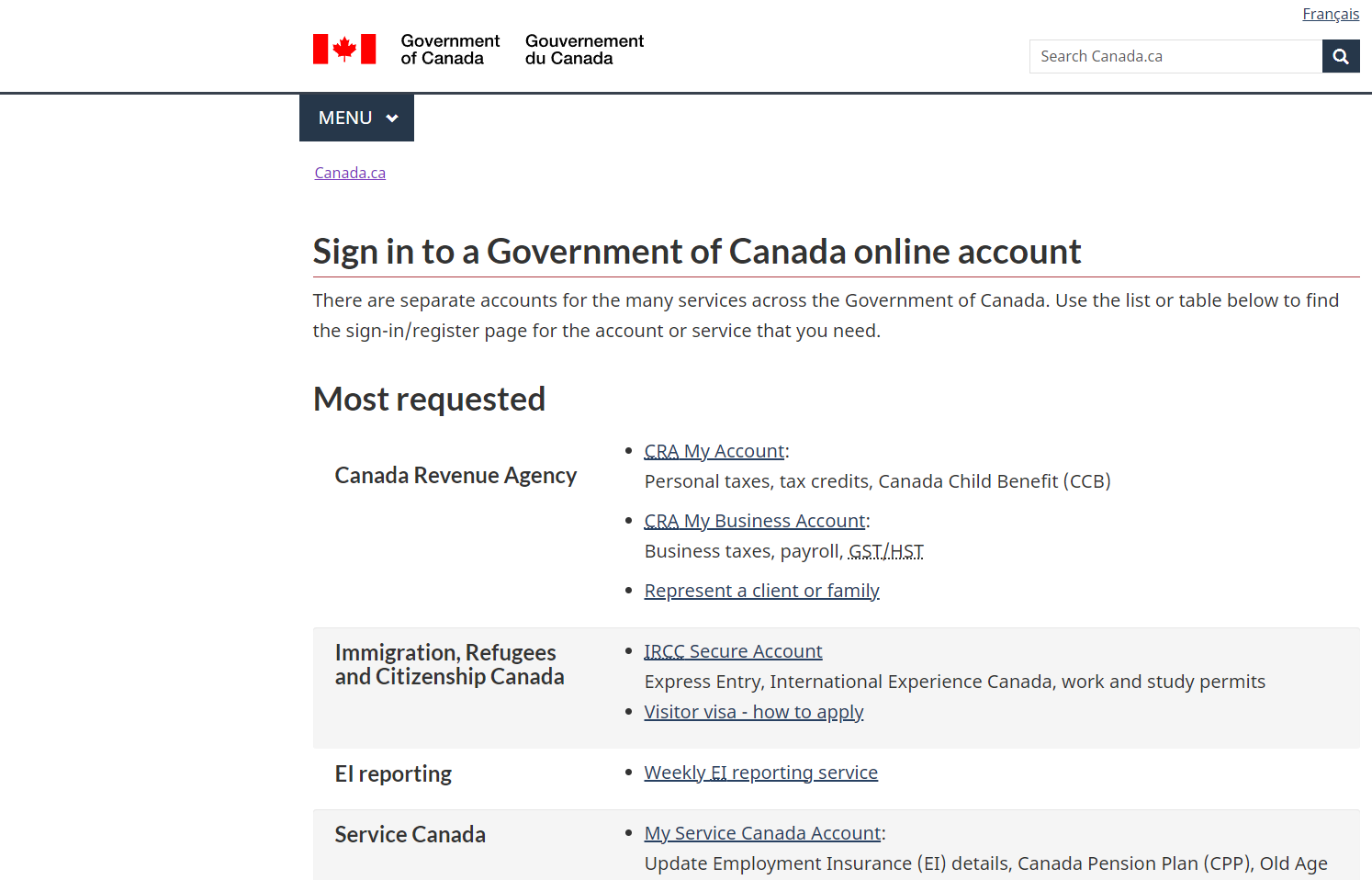
- Visit the Service Canada website (www.canada.ca) and locate the “Sign in to a Government of Canada online account” section.
- Click on the “Continue to Sign-in Partner” button, which will redirect you to a list of Sign-In Partners, or click on the “Continue to GCKey” button to create a new GCKey account.
- If you choose to use a Sign-In Partner, select a financial institution from the list and log in using your online banking credentials. If you opt for a GCKey account, follow the prompts to create a unique user ID and password.
- Once you are logged in, you will be redirected to the “My Service Canada Account” (MSCA) registration page.
- Provide your Social Insurance Number (SIN) and other personal information as prompted.
- You will receive a Personal Access Code (PAC) by mail within 5-10 business days. Use this code to complete the registration process by logging back into your MSCA and entering the PAC.
After completing these steps, your EI online account will be set up, and you can access the reporting system.
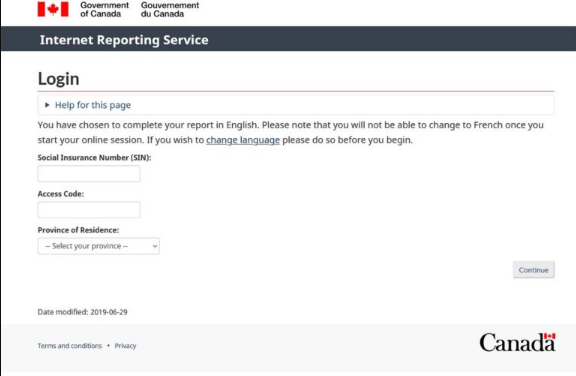
EI Online Reporting Login
To submit your EI reports online, follow these steps:
- Visit the Service Canada website (www.canada.ca) and locate the “Sign in to a Government of Canada online account” section.
- Log in using your chosen Sign-In Partner or GCKey account.
- Once logged in, click on “Employment Insurance (EI)” under “My Services” in your MSCA.
- Navigate to the “Employment Insurance Reporting” section and click on “Access the Internet Reporting Service.”
- Follow the prompts to complete and submit your EI report.
Remember to keep your login credentials secure and not share them with anyone, as your account contains sensitive personal information.
The Importance of Timely Reporting
Submitting your EI reports on time is crucial to maintaining your eligibility for benefits. The reporting period is typically every two weeks, and you must submit your report within three business days after the end of each period. Failing to report on time may result in delayed or denied benefit payments.
When reporting, you must provide accurate information about your work status, job search activities, and any income you have earned during the reporting period. Providing false or misleading information can result in penalties, including being disqualified from receiving EI benefits.
Technical Issues and Support
If you encounter technical difficulties while accessing your EI online account or submitting a report, you can contact the EI Telephone Information Service at 1-800-206-7218. They can assist with technical issues and answer any questions related to your account or EI benefits.
Conclusion
The EI online reporting system makes it convenient for claimants to submit their reports electronically, ensuring that they continue to receive their benefits on time. By understanding the process of setting up an EI online account, logging in, and submitting reports, you can efficiently navigate the system and maintain your eligibility

Evan McKenzie is a contributor at Vaughantoday.ca, covering a wide range of topics including local news, politics, business, technology, sports, entertainment, and lifestyle. He focuses on clear, balanced reporting that helps readers stay informed about current events and issues that matter to their communities. His work aims to provide useful information, timely updates, and relevant stories presented in an accessible and reader-friendly way.