


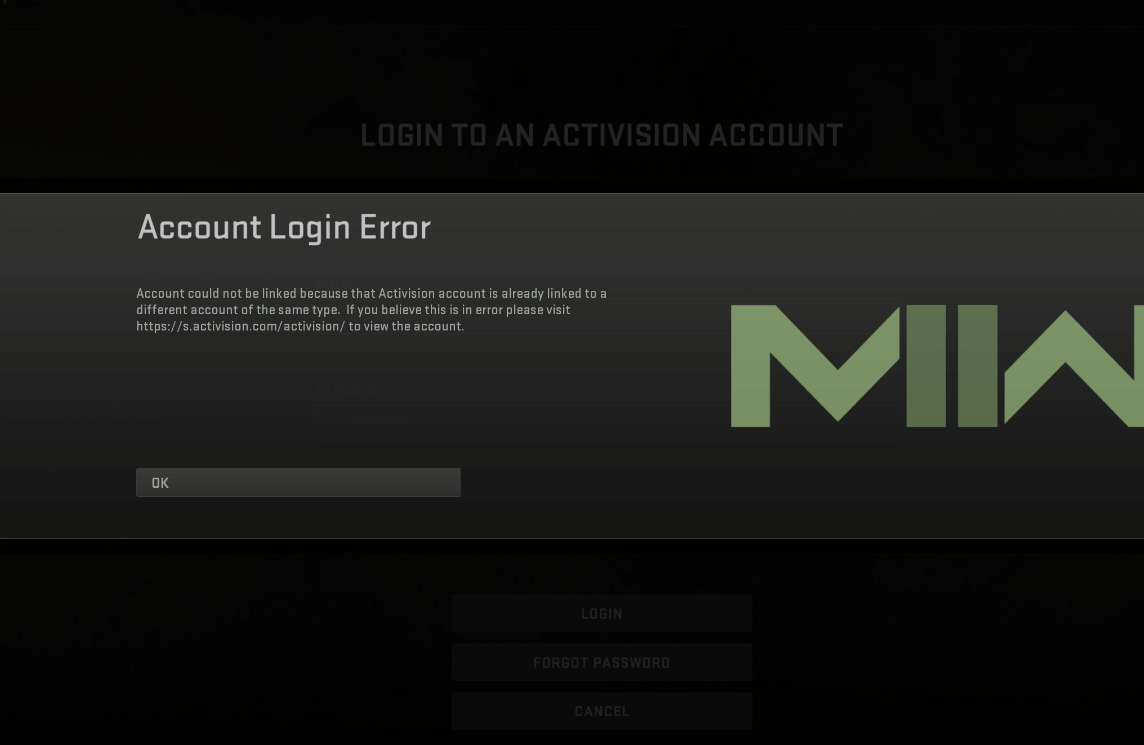
The thrill of gaming can come to an abrupt halt when you encounter login errors on your PlayStation 5 (PS5). Among the most common issues that players face is the Activision account login error. Activision is a well-known video game publisher, responsible for several popular titles, including the Call of Duty franchise. This comprehensive guide will help you troubleshoot and resolve the Activision account login error on your PS5.
Understanding the Activision Account Login Error
The Activision account login error can be caused by a range of issues, including server problems, incorrect login credentials, network issues, or even problems with the PS5’s system software. It can manifest in several ways, such as an error message that says “Unable to Access Online Services” when trying to log into an Activision game, or not being able to link your PS5 with your Activision account.
Basic Troubleshooting Steps
Before diving into advanced solutions, there are a few basic troubleshooting steps you can try:
Check Server Status: First, check whether the Activision servers are operational. Server downtime might be the cause of the login issue. You can check the server status on the official Activision website or on their social media channels.
Verify Login Credentials: Make sure you’re entering the correct login credentials. If you’ve forgotten your password, use the ‘Forgot Password’ option to reset it.
Restart Your PS5: A simple restart of your console can sometimes fix the login error. To do this, press the PlayStation button on your controller, navigate to the power options and select ‘Restart PS5’.
Check Internet Connection: Test your internet connection by going to Settings > Network > Test Internet Connection on your PS5. If the test fails, reset your router or try using a wired connection if you’re currently using Wi-Fi.
If these steps don’t resolve the issue, you may need to try more advanced troubleshooting methods.
Advanced Troubleshooting Methods
Update PS5 System Software
An outdated system software can cause issues with logging into your Activision account. Make sure your PS5 has the latest software by going to Settings > System > System Software > System Software Update and Settings > Update System Software. If an update is available, install it and try logging into your Activision account again.
Change Your Activision Account Password
Sometimes, changing your password can solve the login error. To do this, visit the Activision account website, log in, and change your password in the ‘Account Management’ section.
Clear PS5 Cache
Clearing the PS5’s cache can also help fix the problem. To do this, fully shut down (not rest mode) your PS5 and unplug it from the power outlet. After waiting for about two minutes, plug it back in and turn it on. This procedure will clear the PS5’s cache, potentially solving the login issue.
Re-link Activision Account
If you’re having issues linking your PS5 to your Activision account, try unlinking and then re-linking the account. Log in to your account on the Activision website, navigate to ‘Profile’, and select ‘Linked Accounts’. Here, you can unlink your PS5 account. After doing this, link it again and try accessing your account from your console.
Contact Activision SupportIf all else fails, the problem may be on Activision’s end, or it might be an issue specific to your account. In this case, contact Activision Support. You can reach out to them through their official website or via their social media channels. When contacting them, provide all the necessary details about your issue, including any error messages you’re seeing and the troubleshooting steps you’ve already taken.
Preventive Measures
While it’s impossible to prevent all potential login issues, there are some steps you can take to reduce the likelihood of encountering them:
Regularly Update Your PS5: Keep your console’s system software up to date. Sony regularly releases updates to improve system performance and fix bugs that could cause issues like login errors.
Maintain Your Internet Connection: A stable and robust internet connection is essential for online gaming. If you frequently have issues with your internet, consider getting in touch with your service provider or upgrading your plan.
Secure Your Activision Account: Use a strong, unique password for your Activision account, and change it periodically. This practice can prevent unauthorized access, which could lead to account login issues.
Link Your Account Properly: When linking your PS5 to your Activision account, follow all the steps carefully to ensure the process is completed successfully.
Conclusion
In conclusion, facing an Activision account login error on your PS5 can be frustrating, but with a bit of troubleshooting, it’s often possible to resolve the issue and get back into the game. If the problem persists after trying these solutions, remember to reach out to Activision’s support team. They’re there to help you troubleshoot and resolve issues so that you can continue to enjoy your gaming experience.
