



Apple not only offers us the update for the new iOS 16, but also the update that will remain with the current version that goes from 15.6 to 15.7.
Apple on Monday released two mobile iOS updates for iPhones with new security and privacy features. iOS 16 Protection aims to prevent spyware intrusion and replace passwords that allow hackers to infiltrate your accounts.

apple
Choose iOS 15.7 or the new iOS 16
Among all the new features, it is the lock screen that gets the most significant changes.
By providing deeper integration, users can add depth effect to their lock screen image and change the time, font and personality style as they wish.
It will also be possible to install new widgets to easily get useful information at a glance.

apple
New lock screen interface
Safer, Lock mode temporarily disables some iPhone features that can be exploited by spyware. By banning it, vulnerability is greatly reduced, especially for people at risk, such as journalists, activists or politicians who are often the target of rogue states.
Quick updates
Alongside updates like these, Apple is introducing Rapid Security Response, a new option that lets your iPhone install security patches as soon as they’re released from Apple. With these quick updates, the Apple giant wants to push important security updates to its iPhones without having to install a full update every time.
With this strategy, the group hopes to surprise hackers by closing vulnerabilities as quickly as possible. The new computer system macOS Ventura will provide owners with quick security answers.
Browse more securely in Safari with passkeys
Browsing in Safari is more secure with passkeys, which are next-generation credentials that can’t be phished or leaked, making it more secure and easier to use. Designed to replace passwords, Passkeys use Touch ID or Face ID to verify biometrics, and iCloud Keychain to sync between iPhone, iPad, Mac, and Apple TV with end-to-end encryption.
Created as a joint effort with the FIDO Alliance, Google and Microsoft, the passkeys will work in apps and on the web, and users will be able to sign into websites or an app on devices, not Apple, using just their iPhone.
Let’s stick with Safari which adds groups of tabs (websites) to share with friends and family, making it easy to see what others are searching for.
Navigation improvement
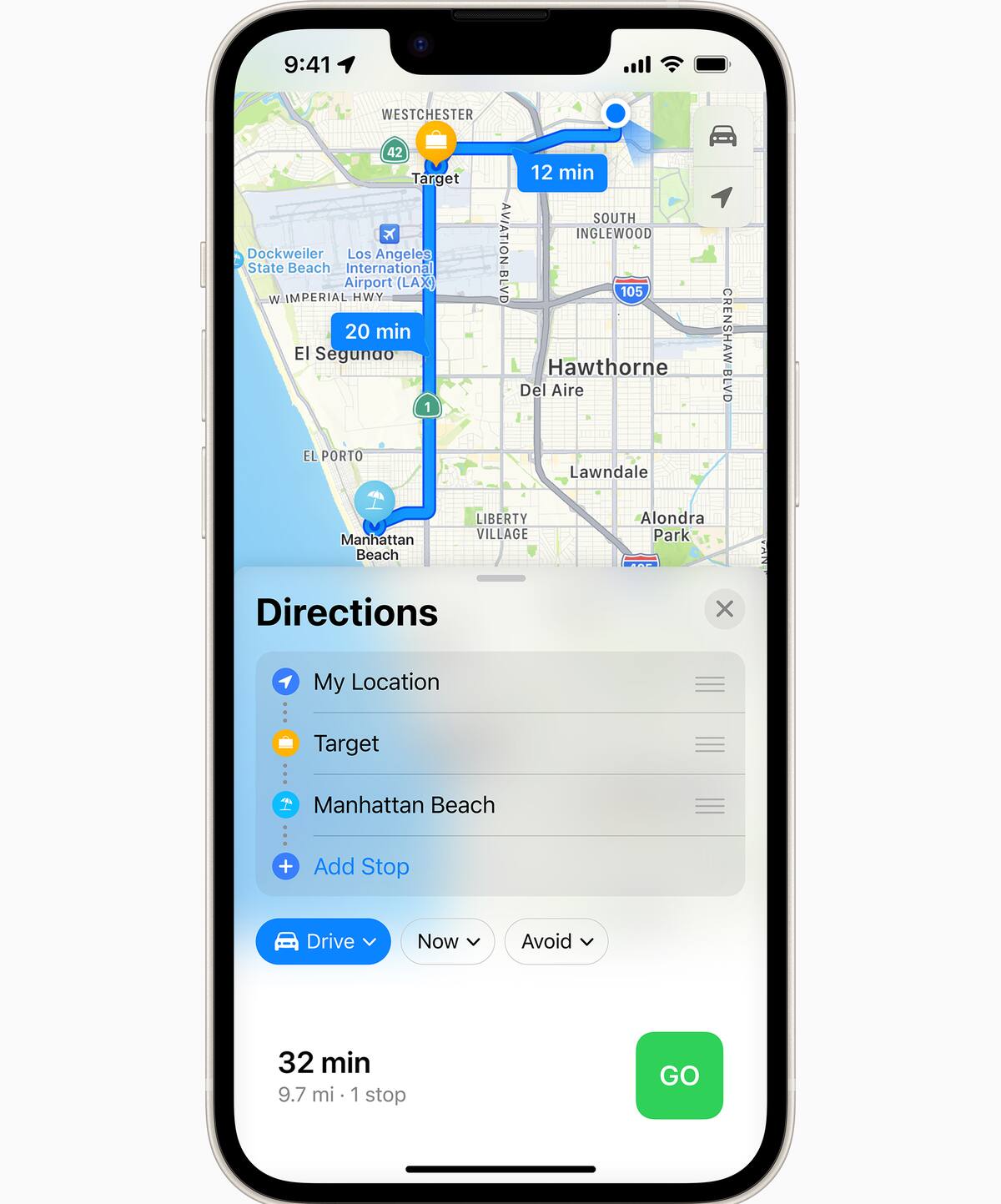
With improved vehicle navigation, transit, and multi-stop lanes, drivers can easily create routes with multiple stops and automatically sync them from their Mac computer to iPhone when they’re ready to go. Transportation directions now shows the cost of the trip, and users can add transit cards to Wallet to view credits and top up transit cards – all without leaving Maps (Maps).
Finally, to avoid moving content to the clipboard from app to app, iOS will ask for your permission to paste or not paste information.
apple
Maps app on iOS 16
