


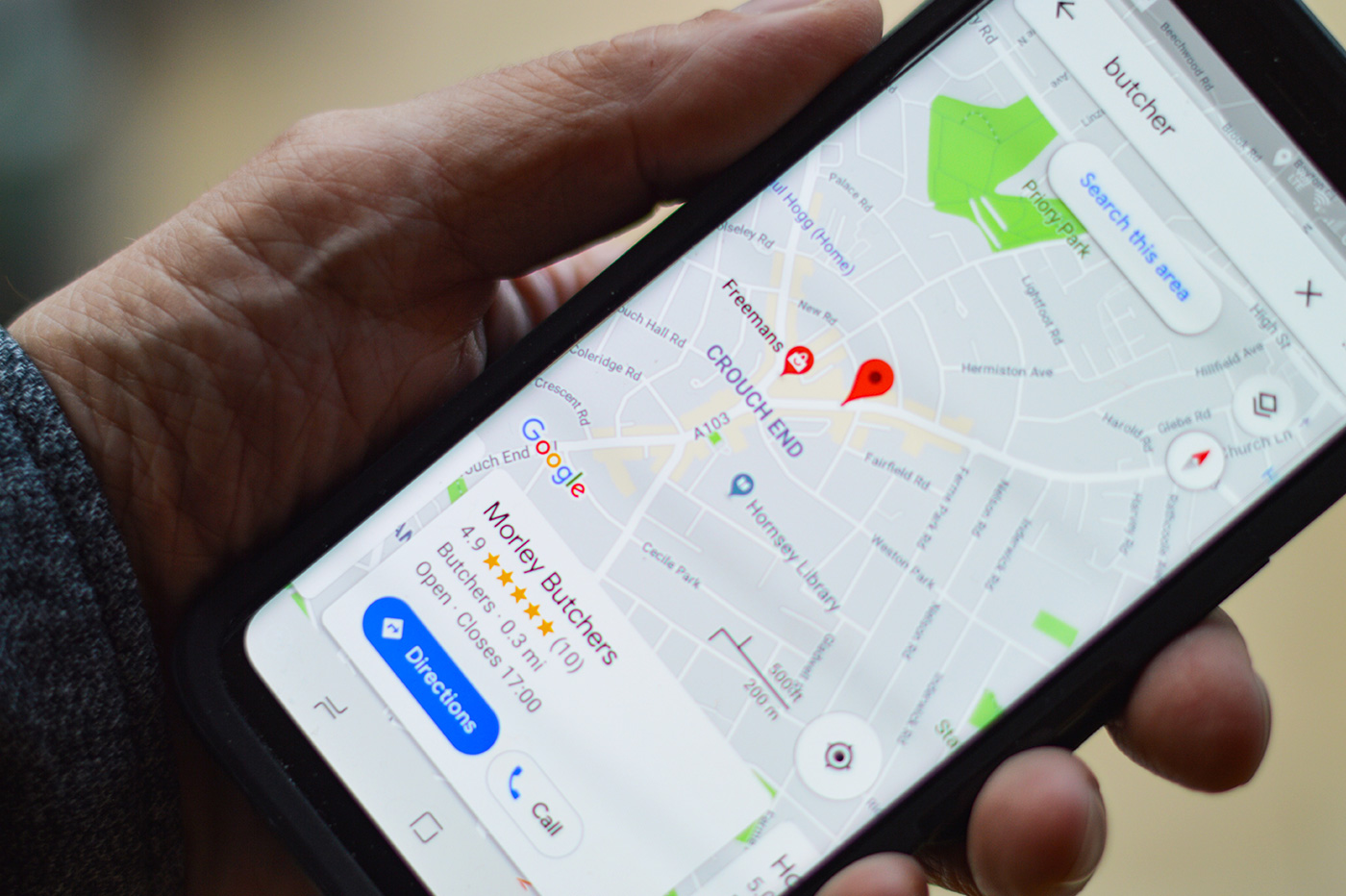
You might not know it, but if Google Maps is packed with practical information today, thanks in large part to the contributors. By the way, you can also contribute if you find out that the place that should be on Google Maps is missing.
For example, if a small restaurant you like isn’t on Google Maps yet, the process for asking the company to add that place to the app is pretty simple.
Add a place on Google Maps from a smartphone
- If you are on mobile, a new location will be added on the Google Maps app.
- Once in the application, press the “Contribute” button to open the tab dedicated to contributors
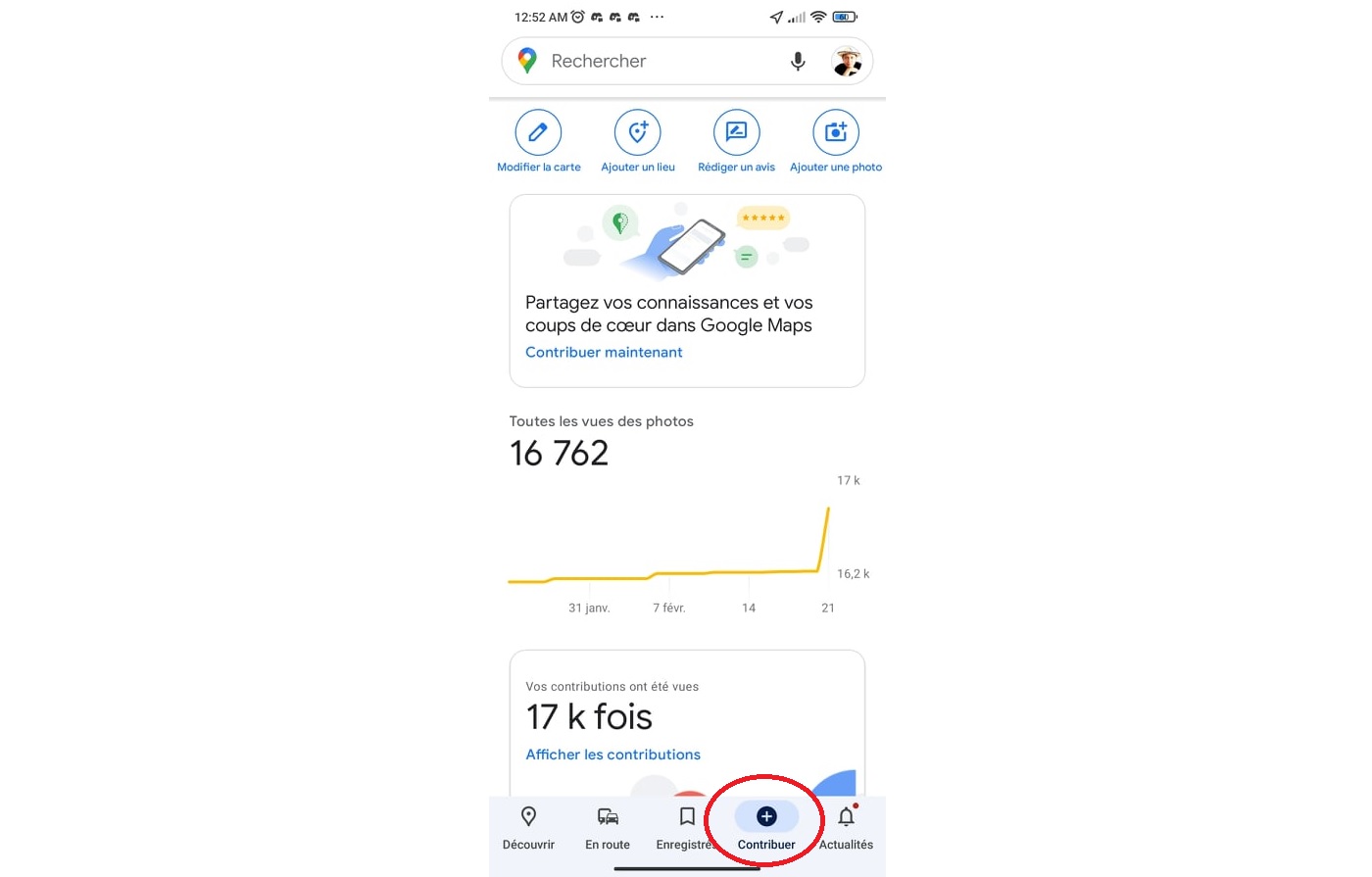
Screenshot of the “Contribute” tab in Google Maps
- Then click on “Add a place”
- Then, Google Maps presents you with a form where you can add information about the place you want to add to the app, such as name, category, hours of operation, etc. And if you don’t know the exact address, you can specify the place using the application framework.
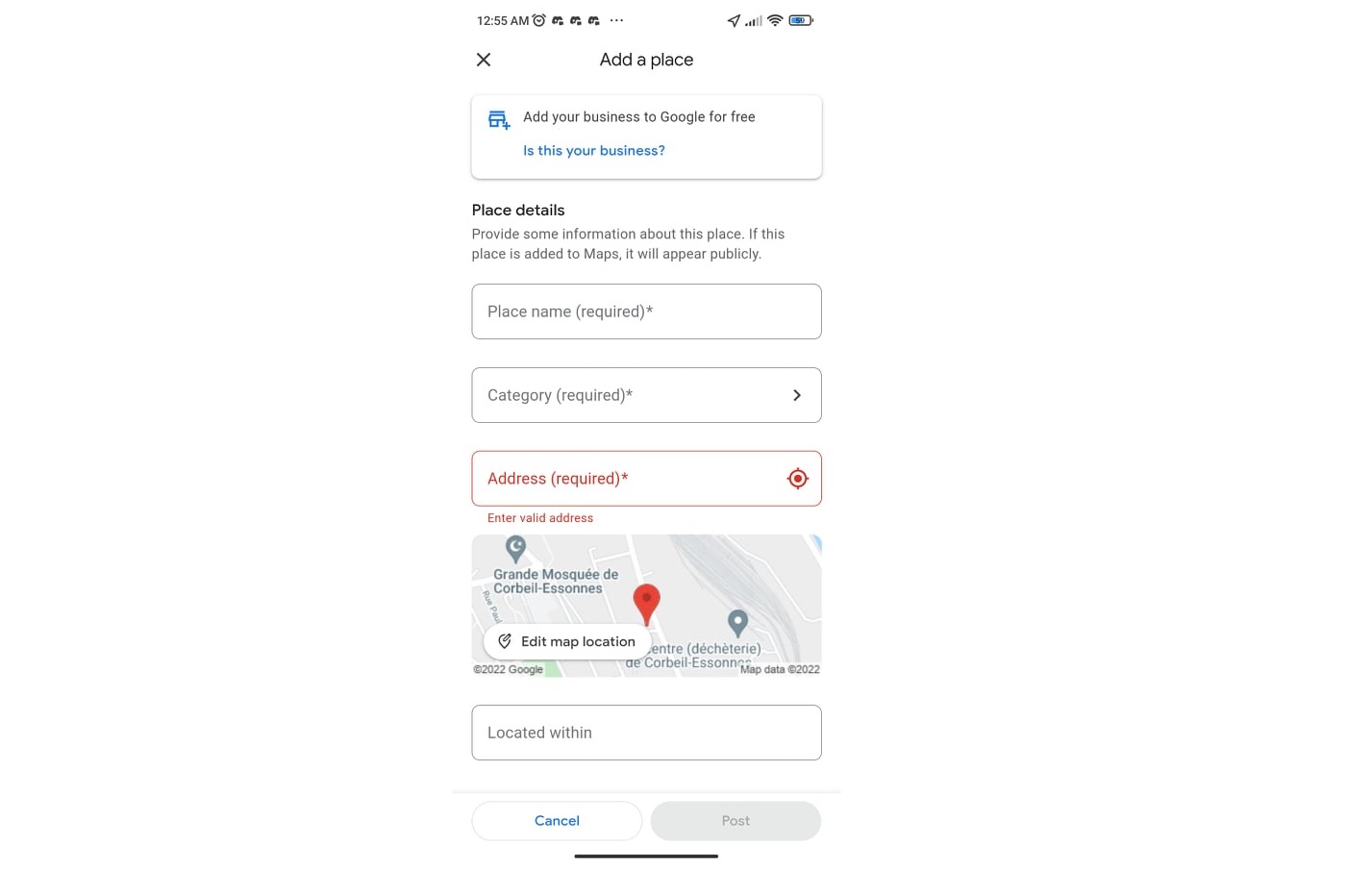
Screenshot of the form to be filled out to add a place on Google Maps
- You can even send pictures
- Google will send you an email to let you know the status of your change.
- Note that if you are the owner of the place, the app will suggest that you go to the Business Profile Manager to create a “Business” account which will allow you to control how your organization appears on Google Maps and Google Search.
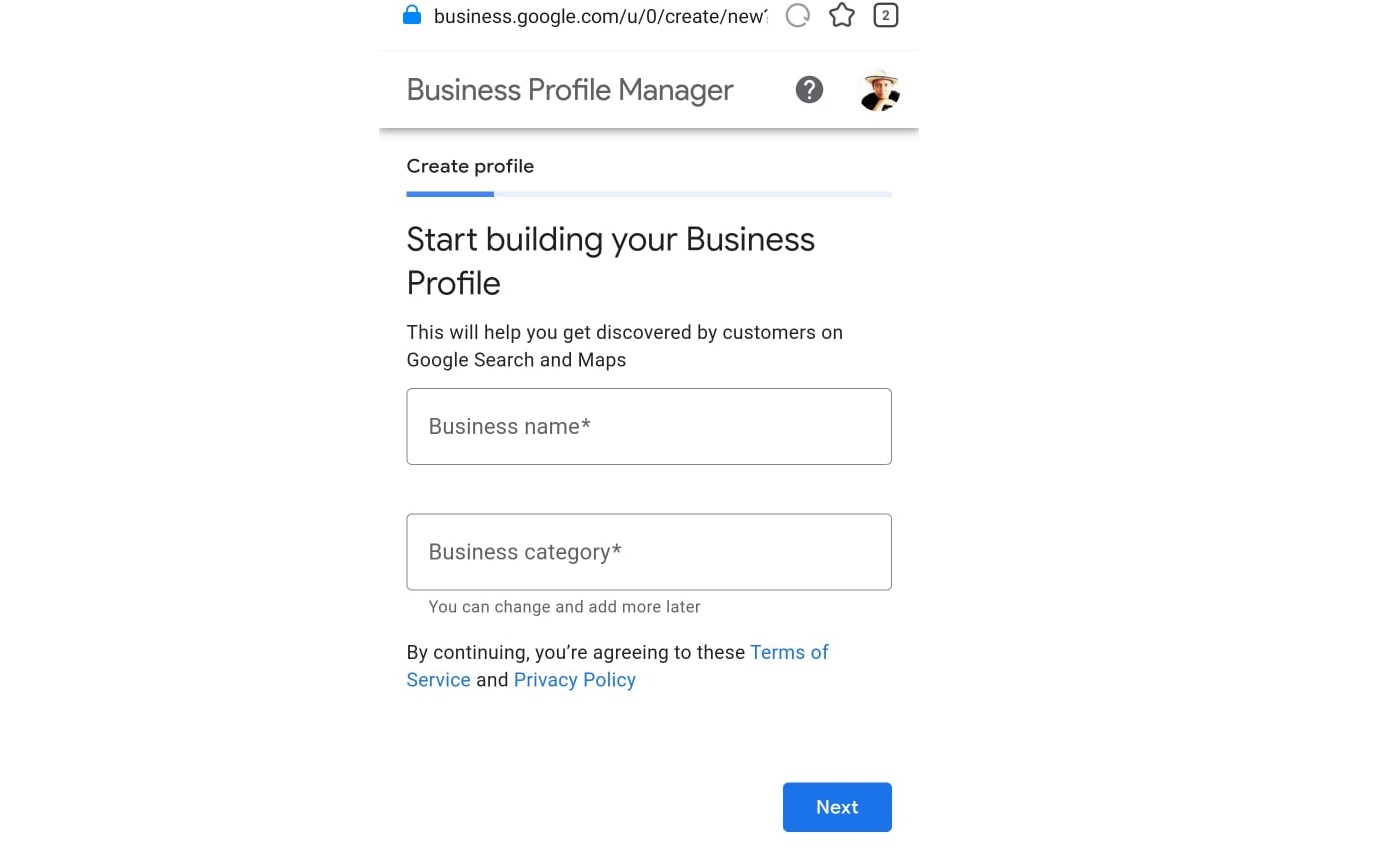
Screenshot of creating a business profile for business owners
Add a missing address from a computer
- If you are using a computer, the process is quite similar.
- You need to go to Google Maps on a browser
- Once the site is open, click on the menu to the left of the search field
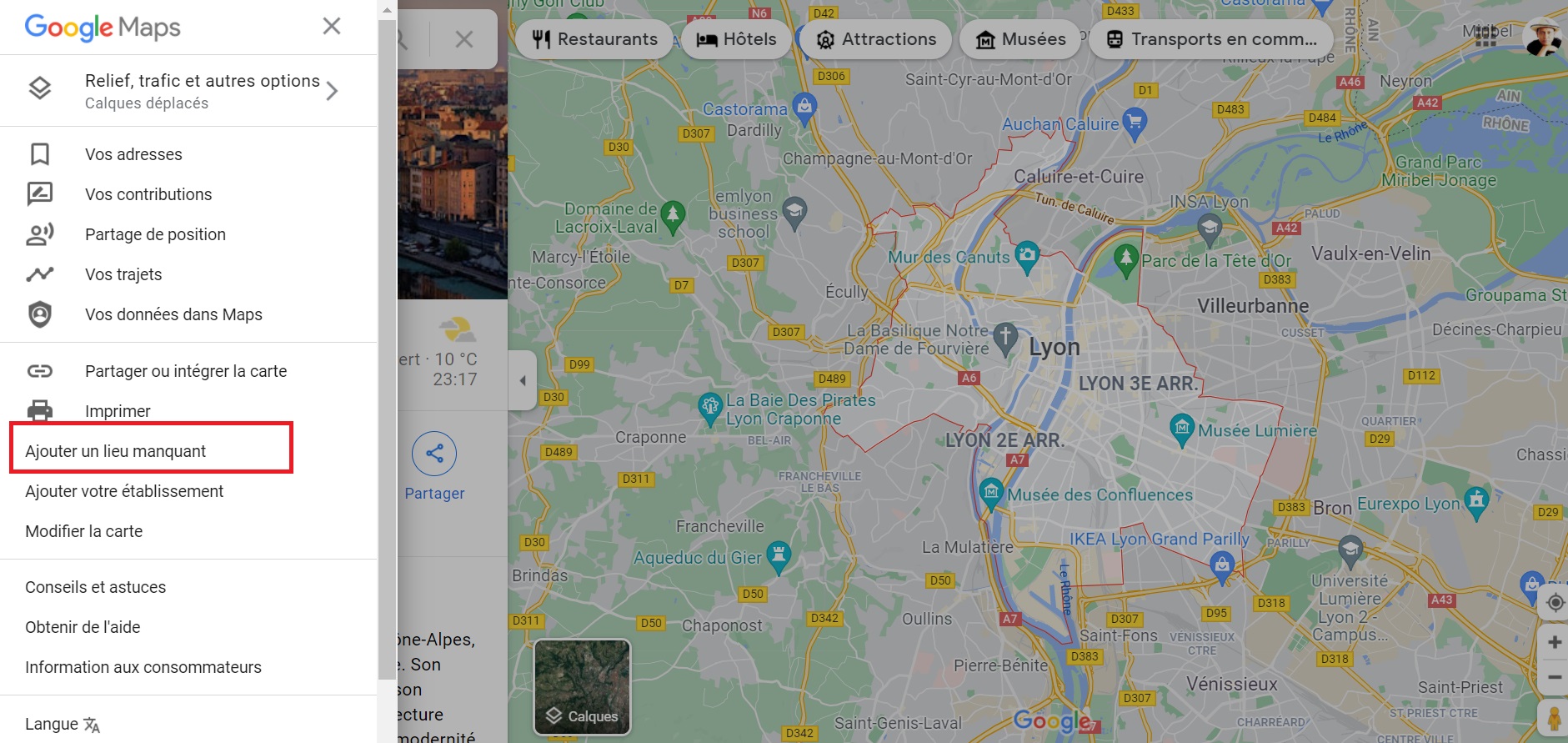
Screenshot on Google Maps (menu)
- If you are not the place owner, click Add Missing Place
- Just like in the phone app, you need to add information about the place you want to add. And if you don’t have an exact address, you can use Google Maps to pinpoint the exact location.
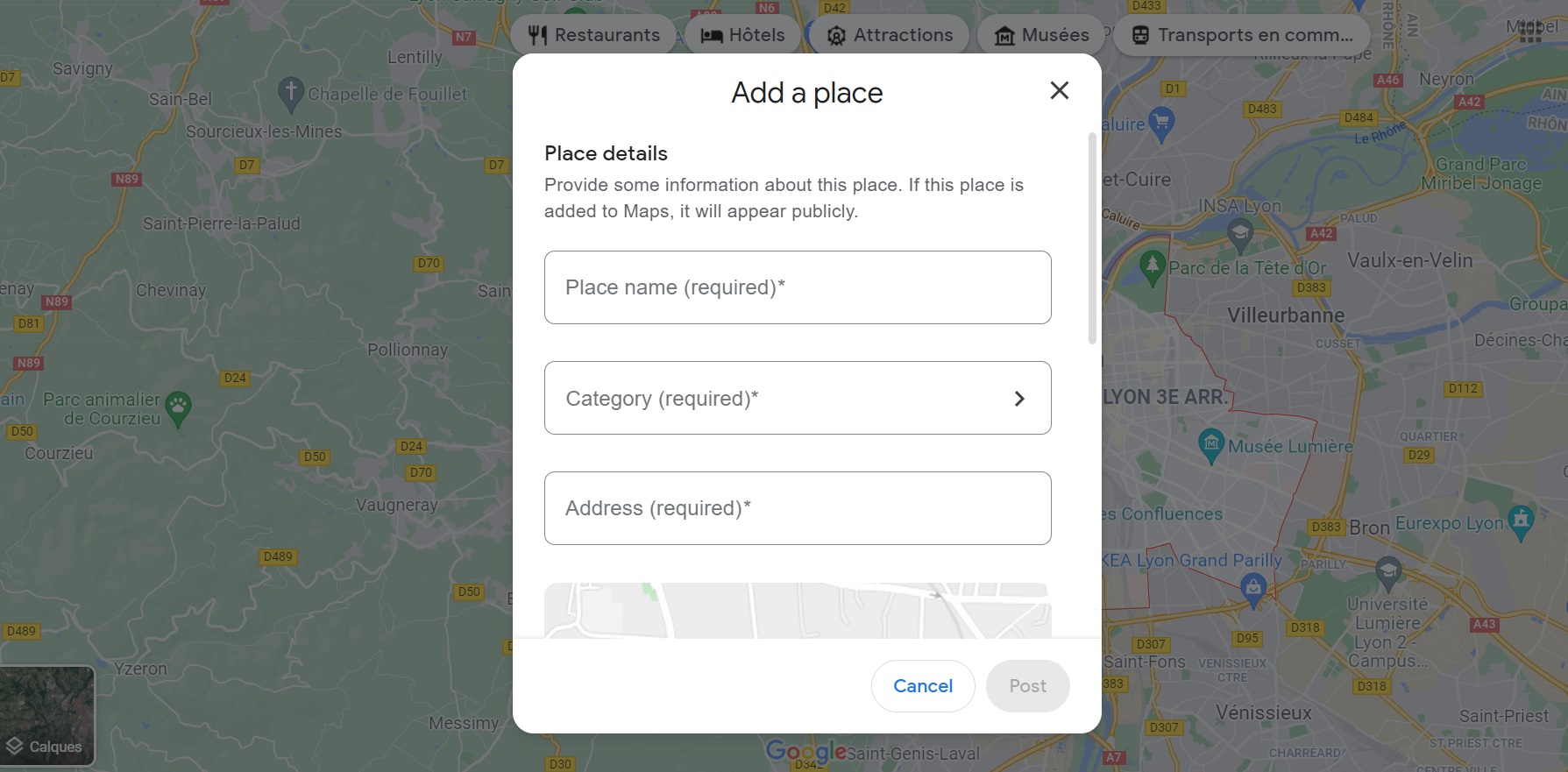
Screenshot on Google Maps website (new location added)
- Once you provide the information, all that remains is to send and wait for the email from Google
- If you are the owner of the place to add, you must click on “Add your organization” in the Google Maps menu. The company will ask you to create your organization’s list to control how it appears on Maps and Google Search.
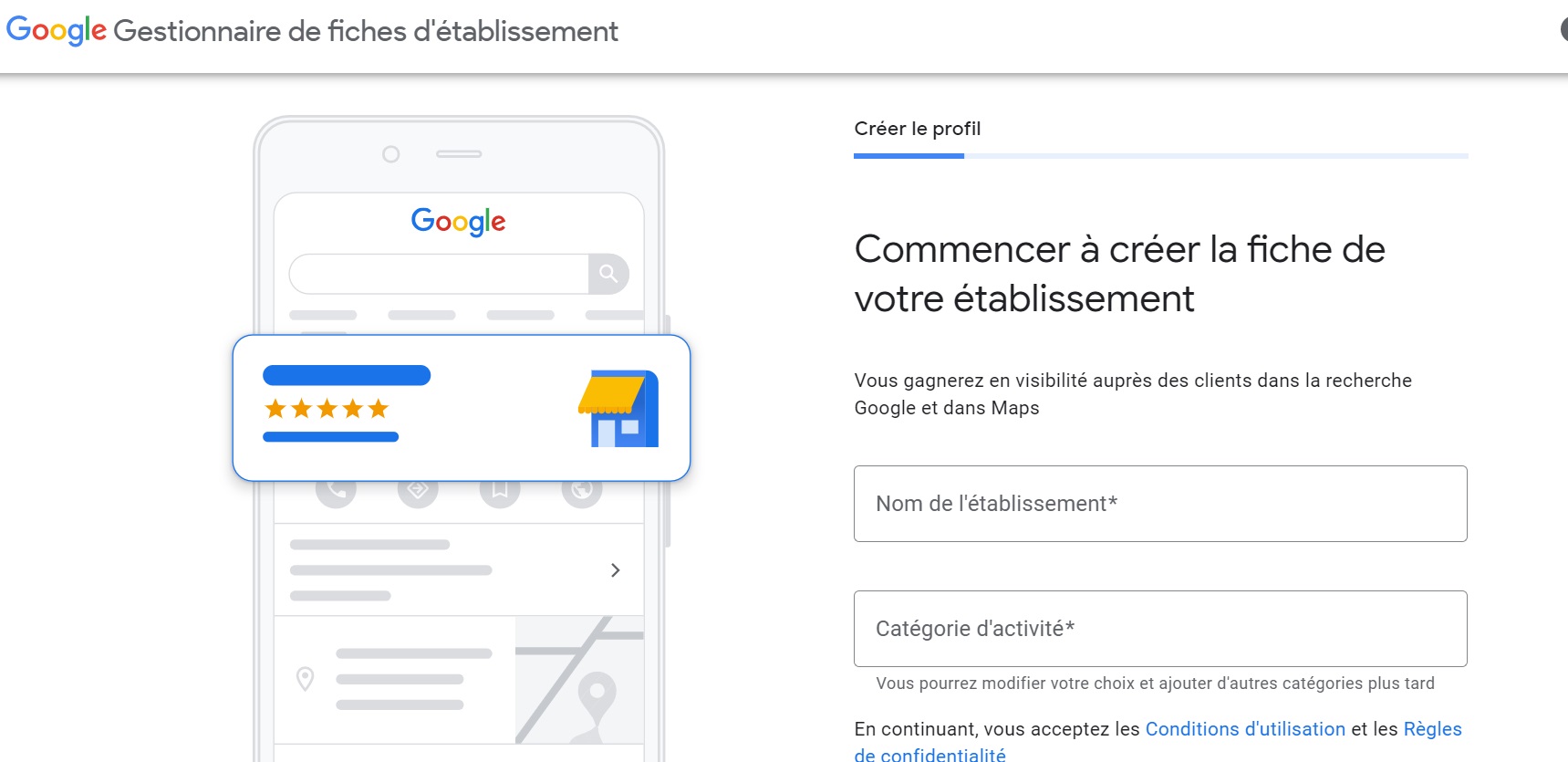
Screenshot of the Create Your Business Listing page (for owners)
