


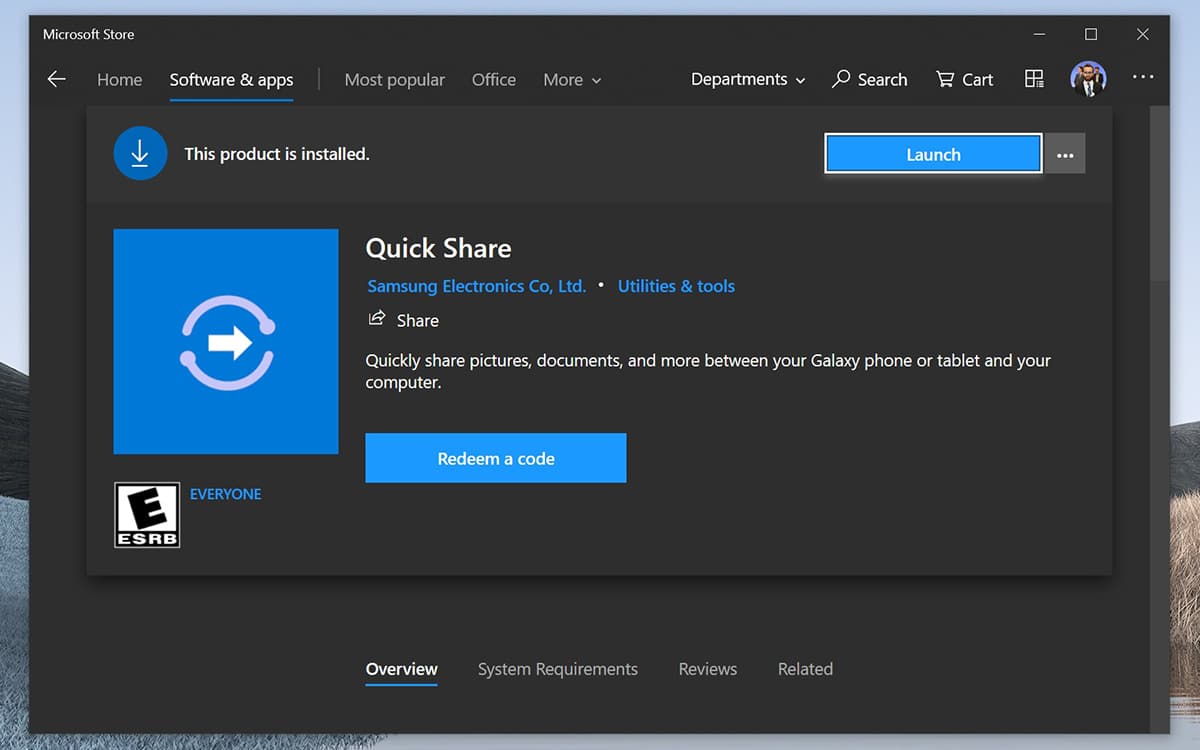
Samsung is preparing to introduce Quick Share, its alternative to AirDrop, on Windows 10. This app will allow you to quickly and easily transfer a file from an Android smartphone designed by Samsung to a computer running Windows 10. From the Microsoft Store, it detects a leak.
In 2020, Samsung opened Quick shareIt is an AirDrop alternative for Galaxy smartphones. Initially reserved for the Galaxy S20 (before it was shown on other terminals of the brand), the system works in a similar way to AirDrop, which is Apple’s transmission technology built into iPhone, iPads and Macs.
According to Samsung, the Quick Share feature detects all nearby contacts and allows you to share content (files, photos, or videos) with 5 friends at the same time. Obviously, it is imperative that your friends have a signed Samsung smartphone or tablet. To transfer content, Samsung relies on either a Bluetooth connection or a WiFi network. As with Apple, the transfer is instant.
On the same topic: 97.5% of Samsung Galaxy devices are now compatible with calls on Windows 10 computers
The Quick Share feature allows you to share files between your Galaxy smartphone and Windows 10 PC
So, Quick Share for Windows 10 PCs will open. According to the Aggiornamenti Lumia Twitter account dedicated to Microsoft and Windows news, Samsung will soon introduce the Quick Share app on the Microsoft Store. As a screenshot shows, it appears that a handful of users have already managed to install this on their PC. We imagine Samsung first pushed the app on a handful of devices as a test. Under these circumstances, widespread publication should not be delayed.
Note that Windows 10 Your Phone app It actually allows you to drag and drop files between your computer and your smartphone in the easiest way possible over a WiFi connection. As well, Galaxy smartphones can share their clipboard with Windows 10 PC Thanks to Samsung Flow. Year after year, the partnership between Samsung and Microsoft is getting stronger, allowing the two companies to enrich their ecosystem. Is it enough to compete with the Apple ecosystem? We await your opinion in the comments below.
