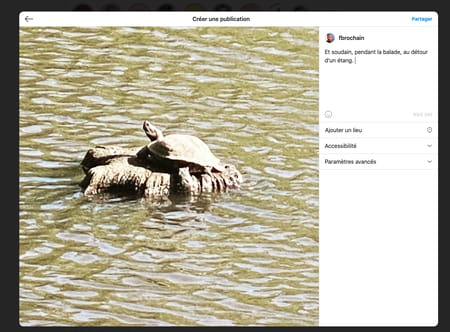
Instagram. The social network is primarily designed for mobile use, and it opens up a bit better on computers. A big step has been taken with the ability to post images from a web browser to your PC or Mac.
Founded in 2010 and acquired two years later Facebook social networking siteInstagram has continued to evolve over the past 10 years. The main novelties focused on the iOS and Android mobile applications of the social network to enrich them with functions such as video posting, chatting, stories, slideshows, etc. To please nearly a billion users around the world are using this social network. corn Instagram He also has a website. So far, it can be used to view your account, modify information, or even delete the account. Impossible to go there to post pictures. It’s too bad for those who spend hours in front of their computer screen retouching their photos with more powerful tools than you find on a mobile phone.
But that was before! More precisely, before the update this week. In fact, since October 21, it is possible to post photos and videos directly from a PC or Mac to their Instagram account through a simple web browser. In addition, as indicated in the application, it is also possible to simultaneously post several photos in a carousel. This will make life easier for many professionals who use the social network and spend more time in front of their computers than on their mobile phones. The web version is not missing much now to look like the iOS and Android apps. There is still a little effort to put in to be able to create stories and it will be perfect!
How do you post photos to Instagram from computer?
Instagram’s web interface is similar to that used in mobile apps. Except that today, it has the famous button to post photos or videos.
- Go to the Instagram web page. Log in with your credentials. Your Instagram feed is displayed as in the app. Click the button + in the toolbar at the top right of the screen.

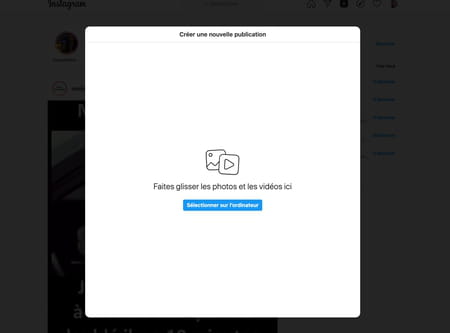
- A new window is displayed. Drag the image file you want to post there.
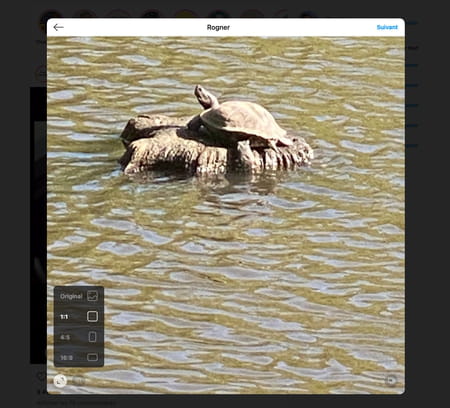
- Since the square format of Instagram must be respected, you can move the image in the frame to be centered as you like. To do this, click on it, hold the mouse button and move the image. You can also choose the desired format by clicking on the first icon at the bottom left of the screen.
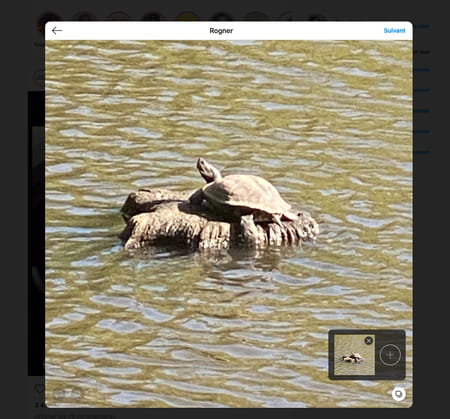
- If you want to add more photos, click the overlapping icon at the bottom right of the frame and press the button + To select other photos.
Click on the link next top right. The set of filters offered by Instagram is displayed. Choose what suits you and adjust its intensity using the slider at the bottom of the screen.
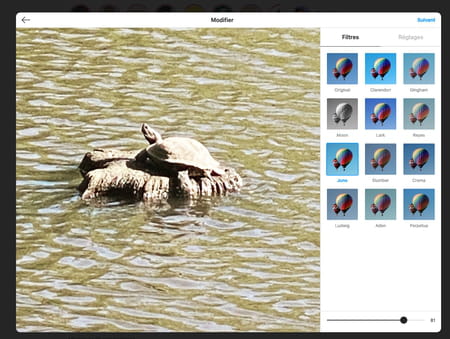
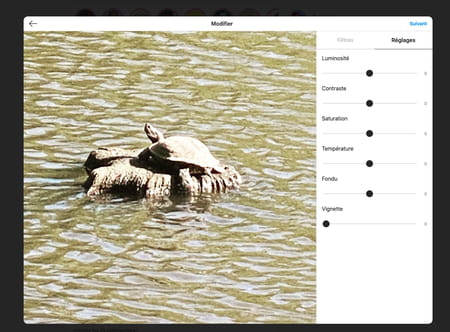
You can also click the tab Settings To adjust some parameters such as brightness, colors, saturation, etc. Click on next when you are satisfied.
- Finally, as with the mobile app, you can add a comment, hashtags, select the location where the shot was taken, or even choose to block comments (from the advanced settings). When everything is ready, all you have to do is click to share.