

Close Menu
    Facebook X (Twitter) Instagram
    Trending
    • Hauser’s Marks 45 Years With Province-Wide Customer Celebration and Renewed Focus on Community Care
    • Young drivers face elevated collision risks after consuming edible cannabis, new CAA-funded study finds
    • Salvation Army Thrift Store Marks 40th Ontario Location with Peterborough Opening
    • Early Blast of Winter Prompts Safety Warnings from Ontario Road Authorities
    • HONOR Takes Home Two TIME Best Inventions 2025 Awards for Smartphone Breakthroughs
    • Toronto Set to Host Largest LEGO® Fan Event in Canadian History
    • Hank Azaria and Caitlin Morrison Champion Mental Health Through Music at Toronto’s Koerner Hall
    • Bricks in the Six to Build Canada’s Largest-Ever LEGO® Fan Event This November
    Facebook X (Twitter) Instagram YouTube
    Vaughan TodayVaughan Today
    • Home
    • Top News
    • World
    • Banking
    • Explore Canada
    • How to
    • Solutions
    • Contact Form
    Vaughan TodayVaughan Today
    Home»Tech»Microsoft improves the taskbar for tablets and makes widgets dynamic
    Tech

    Microsoft improves the taskbar for tablets and makes widgets dynamic

    Jillian CastilloBy Jillian CastilloFebruary 25, 2022No Comments2 Mins Read
    Microsoft improves the taskbar for tablets and makes widgets dynamic
    Share
    Facebook Twitter LinkedIn Pinterest Email

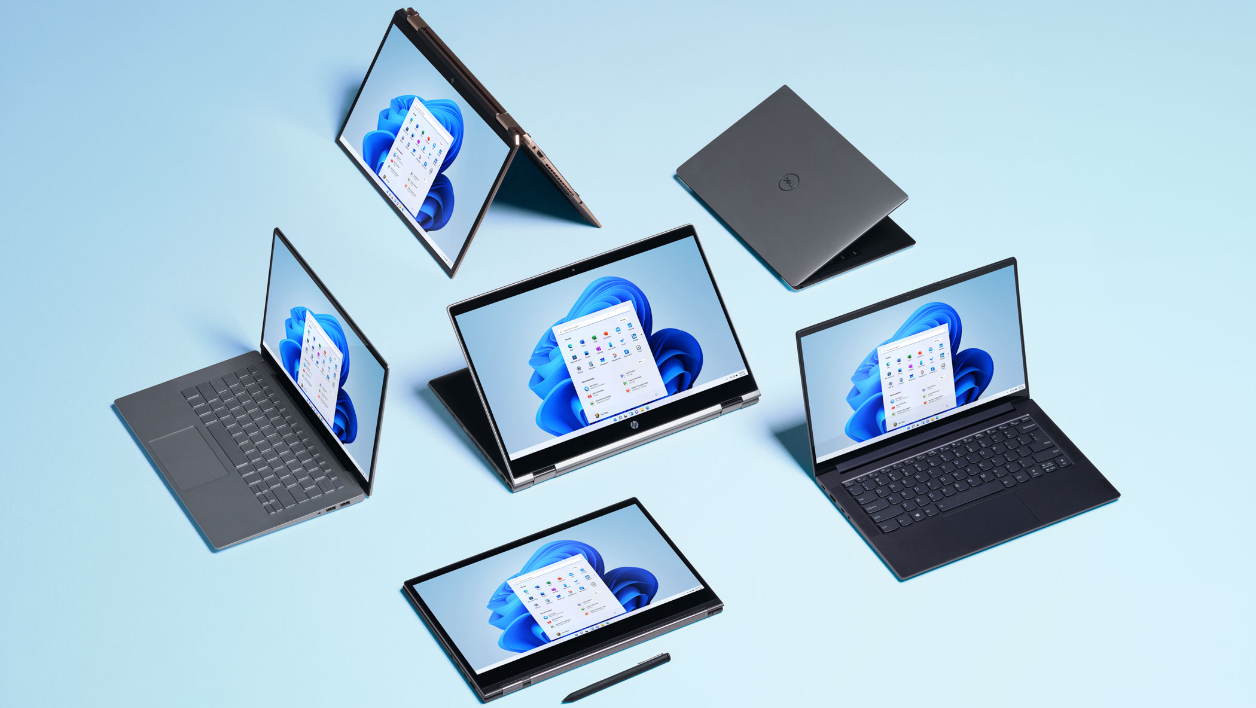
    Microsoft wants to improve the behavior of Windows 11 on tablets. The new build of the operating system aims to insidersRedmond has changed the behavior of the taskbar on touch screen devices, used as tablets.

    When the hardware keyboard is detached or when a dual-function laptop is folded to use as a tablet, the Windows 11 taskbar is automatically minimized to a version fully optimized for touch screens.

    See also the video:

    To rethink its taskbar on touch interfaces, Microsoft envisioned it in two cases: minimized or maximized. Thus, when minimized, the taskbar leaves a maximum of viewing area, thus avoiding accidental interactions with the buttons pinned to it. When expanded, it takes up more space at the bottom of the screen for easier finger navigation. Just swipe up or down to publish or minimize it.

    If you are a member of the Insider Program and want to test this new feature, go to Settings > Personalization > Taskbar > Taskbar behavior Where there is a new option Hide the taskbar automatically When using the device as a tablet, it should be displayed.

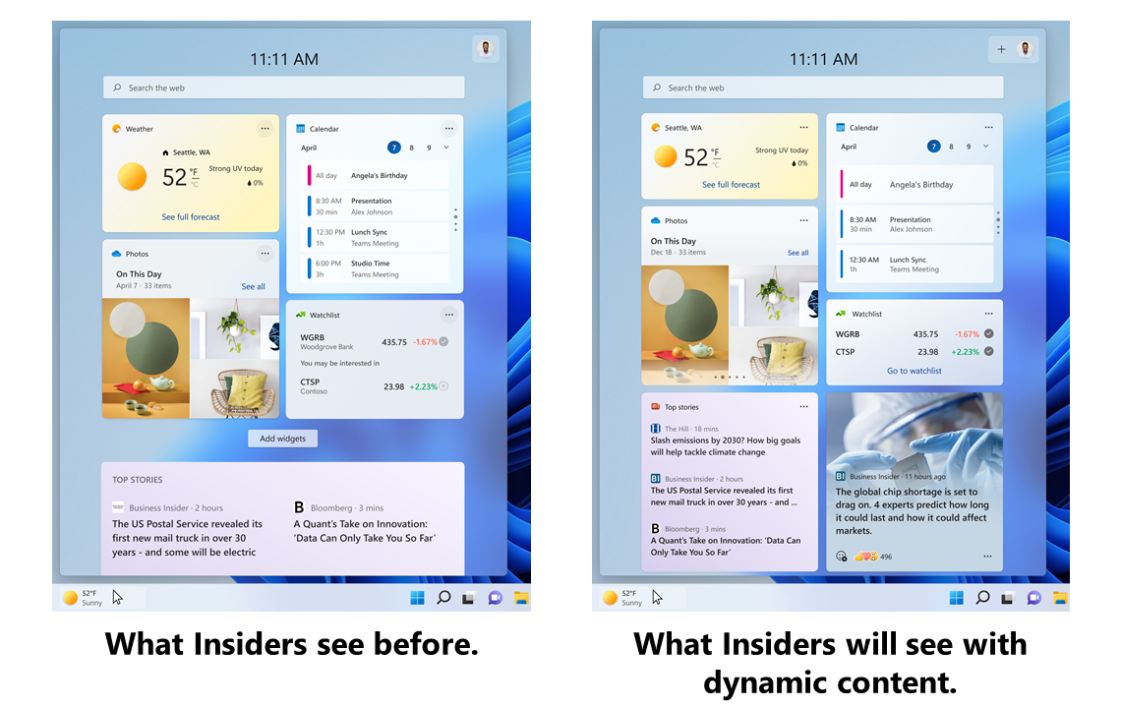
    Another novelty provided by Microsoft in this sealed version 22563 is related to the content displayed in Widgets of OS. Redmond definitely wants to make it more dynamic. To do this, the ability to aggregate UI elements and news content (which are lowered to the bottom of the feed) is tested to make them more visible and attractive. Microsoft still retains the ability to pin your favorite tools to keep them prominently displayed at the top of your feed.
    Finally, other small novelties were also integrated. Among these, Microsoft is making Snap Assist easier to use for docking, by suggesting that tabs open in the Edge browser be displayed in one of the available spaces.

    Share. Facebook Twitter Pinterest LinkedIn WhatsApp Reddit Tumblr Email
    Jillian Castillo

    "Proud thinker. Tv fanatic. Communicator. Evil student. Food junkie. Passionate coffee geek. Award-winning alcohol advocate."

    Related Posts

    MSI Unveils Black Friday Discounts on Flagship Laptops and Handhelds

    November 1, 2025

    Rare Earth Metals: Essential Uses and the Global Supply Chain

    October 4, 2025

    Bell error 2000: Troubleshoot and Solutions

    June 4, 2023
    Facebook X (Twitter) Instagram Pinterest
    © 2025 ThemeSphere. Designed by ThemeSphere.

    Type above and press Enter to search. Press Esc to cancel.