

Close Menu
    Facebook X (Twitter) Instagram
    Trending
    • Hauser’s Marks 45 Years With Province-Wide Customer Celebration and Renewed Focus on Community Care
    • Young drivers face elevated collision risks after consuming edible cannabis, new CAA-funded study finds
    • Salvation Army Thrift Store Marks 40th Ontario Location with Peterborough Opening
    • Early Blast of Winter Prompts Safety Warnings from Ontario Road Authorities
    • HONOR Takes Home Two TIME Best Inventions 2025 Awards for Smartphone Breakthroughs
    • Toronto Set to Host Largest LEGO® Fan Event in Canadian History
    • Hank Azaria and Caitlin Morrison Champion Mental Health Through Music at Toronto’s Koerner Hall
    • Bricks in the Six to Build Canada’s Largest-Ever LEGO® Fan Event This November
    Facebook X (Twitter) Instagram YouTube
    Vaughan TodayVaughan Today
    • Home
    • Top News
    • World
    • Banking
    • Explore Canada
    • How to
    • Solutions
    • Contact Form
    Vaughan TodayVaughan Today
    Home»Tech»Subscription management menu is different
    Tech

    Subscription management menu is different

    Jillian CastilloBy Jillian CastilloJune 25, 2022No Comments2 Mins Read
    Subscription management menu is different
    Share
    Facebook Twitter LinkedIn Pinterest Email

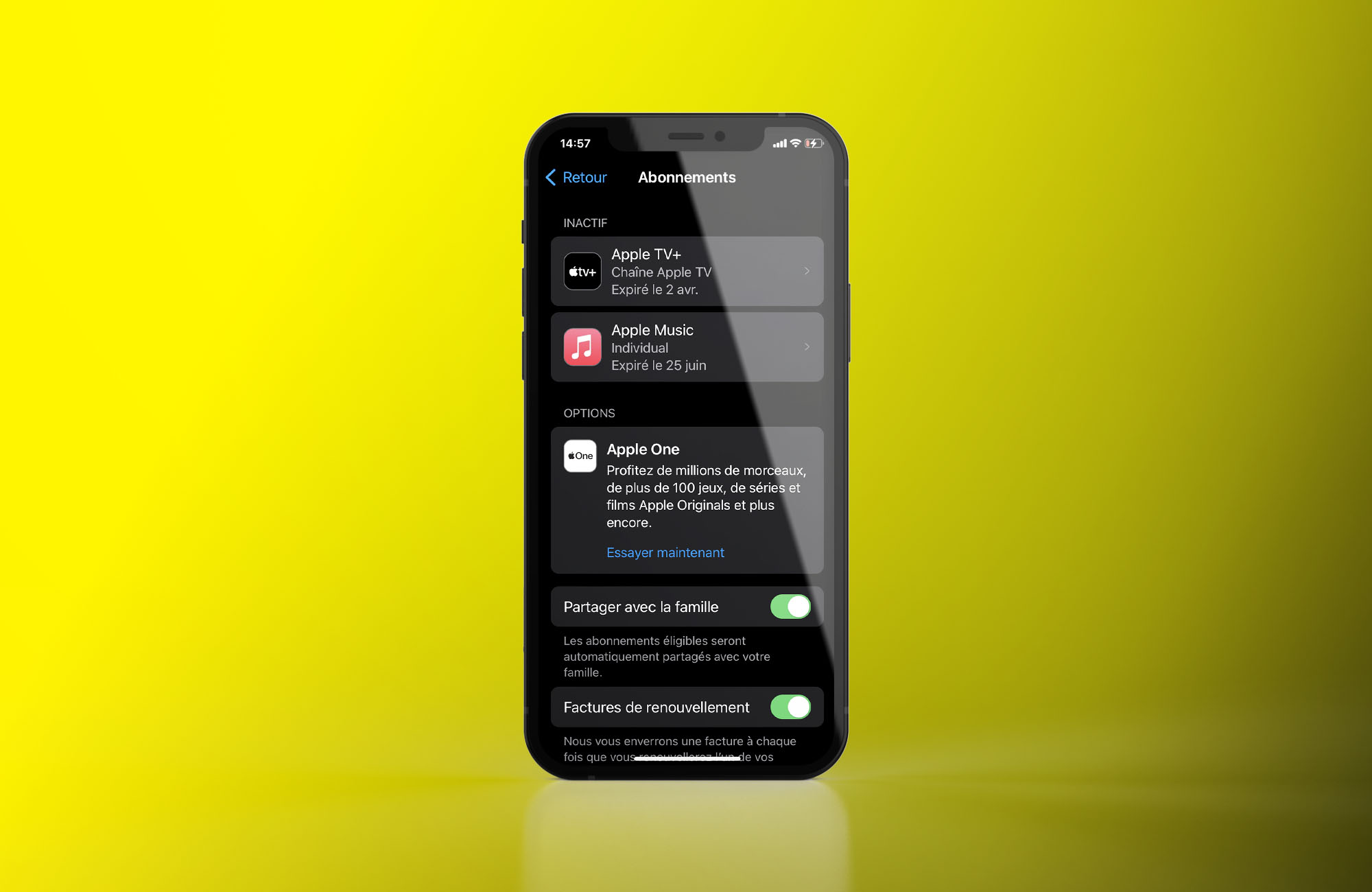
    If you are an Apple customer, there is a menu accessible from your iPhone settings that allows you to Monitor your different packages Signed up through the App Store. This is where access to Apple Arcade, Apple TV+, or Apple Music comes in. At the moment, the Apple brand is also taking the opportunity to promote the Apple One offer that combines these different services, This raises the doubts of some lawmakers.

    If you updated to iOS 15.5 for a little over a month, you should notice that this interface has changed somewhat. Whereas previously sorting information wasn’t as effective, we can now Differentiate between active and inactive subscriptions In the blink of an eye thanks to the extra space on the side of the design.

    To facilitate additional purchases?

    As we saw on our iPhone equipped with iOS 16 in beta (this version is also affected by the change), we also notice that the button for Resubscribe To a subscription that has now been canceled is greater. This may encourage some users to retain their loyalty again, but the options to stop or change the plan have also been expanded.

    Currently, iOS 15.4 does not come with these changes. However, the content of the subscription list is displayed in the format web viewWhich means Apple doesn’t need a major iPhone update to release improvements to it. So it is possible that older versions of the operating system will also be entitled to use these new settings in a few days.

    Manage your subscriptions with iOS 15 or iOS 16

    To access the list of subscriptions, the procedure is as follows:

    1. Access the Settings app from an iPhone or iPad with at least iOS 15 or iPadOS 15
    2. Tap your profile picture in the top right, next to your name
    3. touch Subscriptions

    This is where you can also choose Share your packages automatically with your family When applications provide it. Feature at the discretion of publishers, which resonates Other similar settings are provided for parents and their children.

    Share. Facebook Twitter Pinterest LinkedIn WhatsApp Reddit Tumblr Email
    Jillian Castillo

    "Proud thinker. Tv fanatic. Communicator. Evil student. Food junkie. Passionate coffee geek. Award-winning alcohol advocate."

    Related Posts

    MSI Unveils Black Friday Discounts on Flagship Laptops and Handhelds

    November 1, 2025

    Rare Earth Metals: Essential Uses and the Global Supply Chain

    October 4, 2025

    Bell error 2000: Troubleshoot and Solutions

    June 4, 2023
    Facebook X (Twitter) Instagram Pinterest
    © 2025 ThemeSphere. Designed by ThemeSphere.

    Type above and press Enter to search. Press Esc to cancel.